
As the holidays approach and the year winds down, the impact of steady improvement really shows. No downloads and no installs, just new features delivered automatically. Because Paragon is fully cloud based, every update appears right away. Week after week, we’ve released tools that bring faster workflows, smarter modeling, and more control. These ten represent just a small portion of what we shipped this year.
1. Improved Reweb Truss Tool
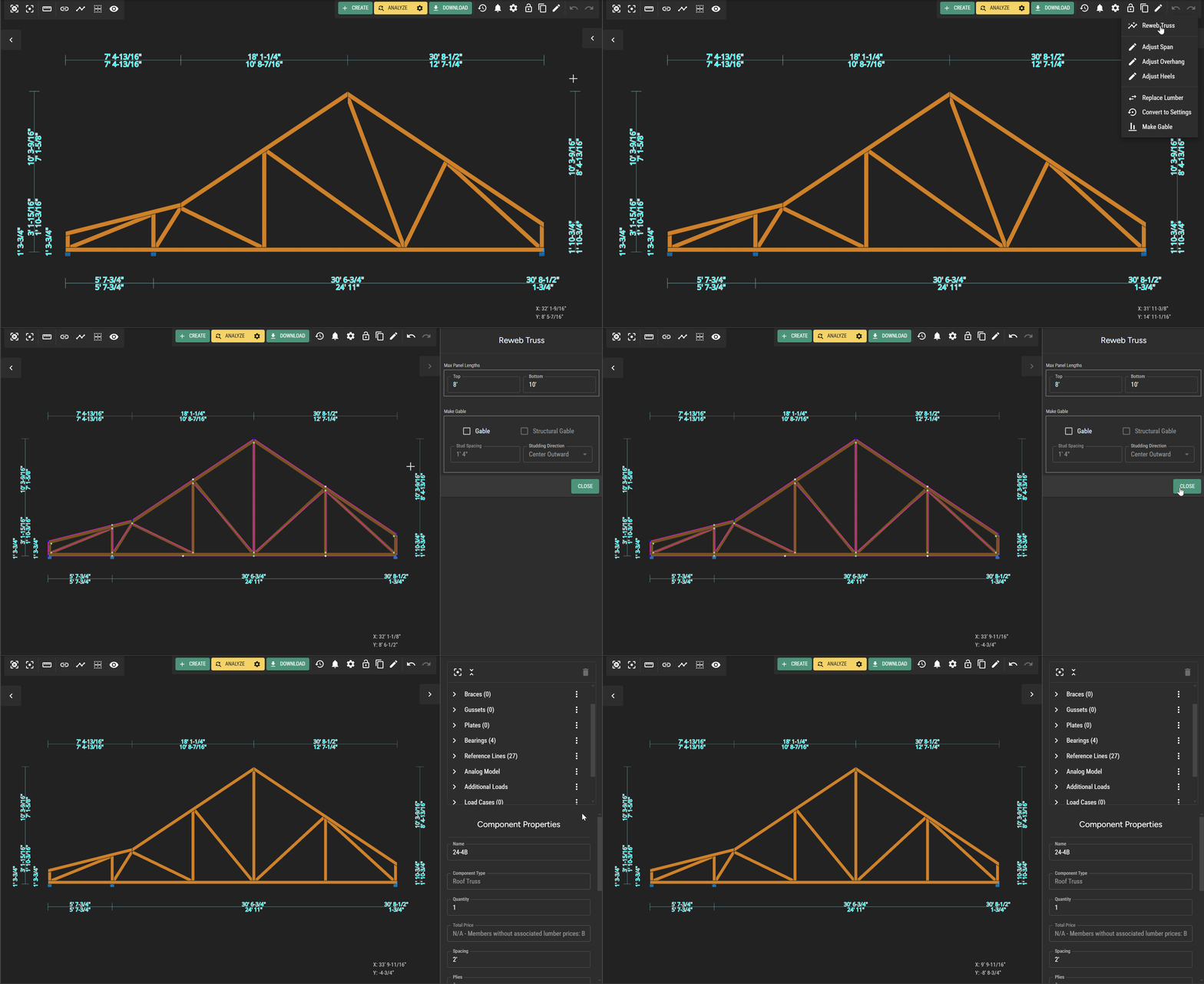
The Reweb Truss tool now lets you add webs or create symmetrical patterns quickly. Right click to add panels, adjust joints, or clear and rebuild as needed.
2. Live Plate Grip Analysis
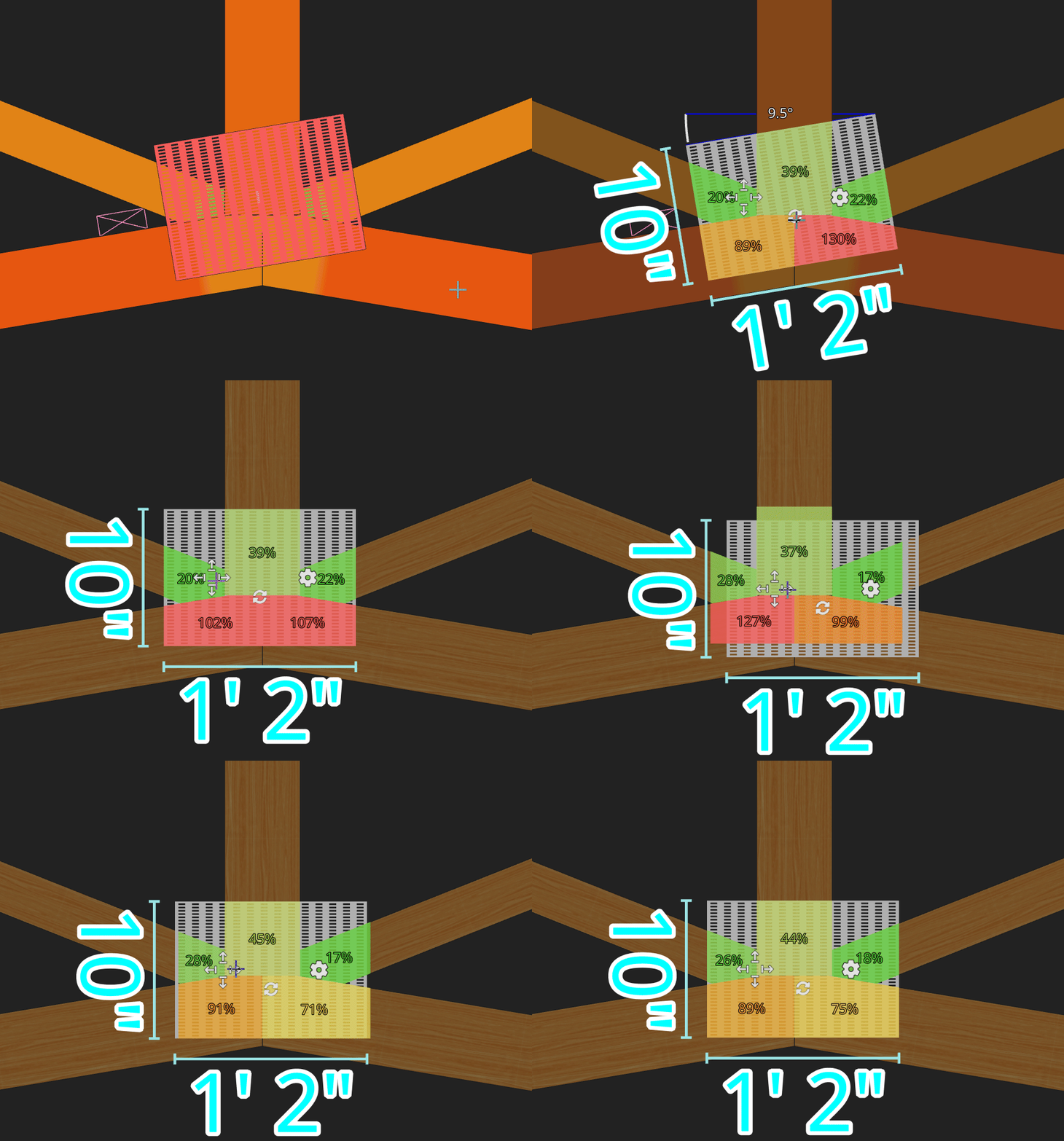
Select a plate to see real-time grip feedback on each connected member. Values update instantly as you move the plate, making plate adjustments easier and more precise.
3. Trim and Extend

Easily trim or extend one or multiple truss or bearing envelopes. This cleans up layout object intersections quickly using existing lines as cutting edges.
4. Improved Cap Sets
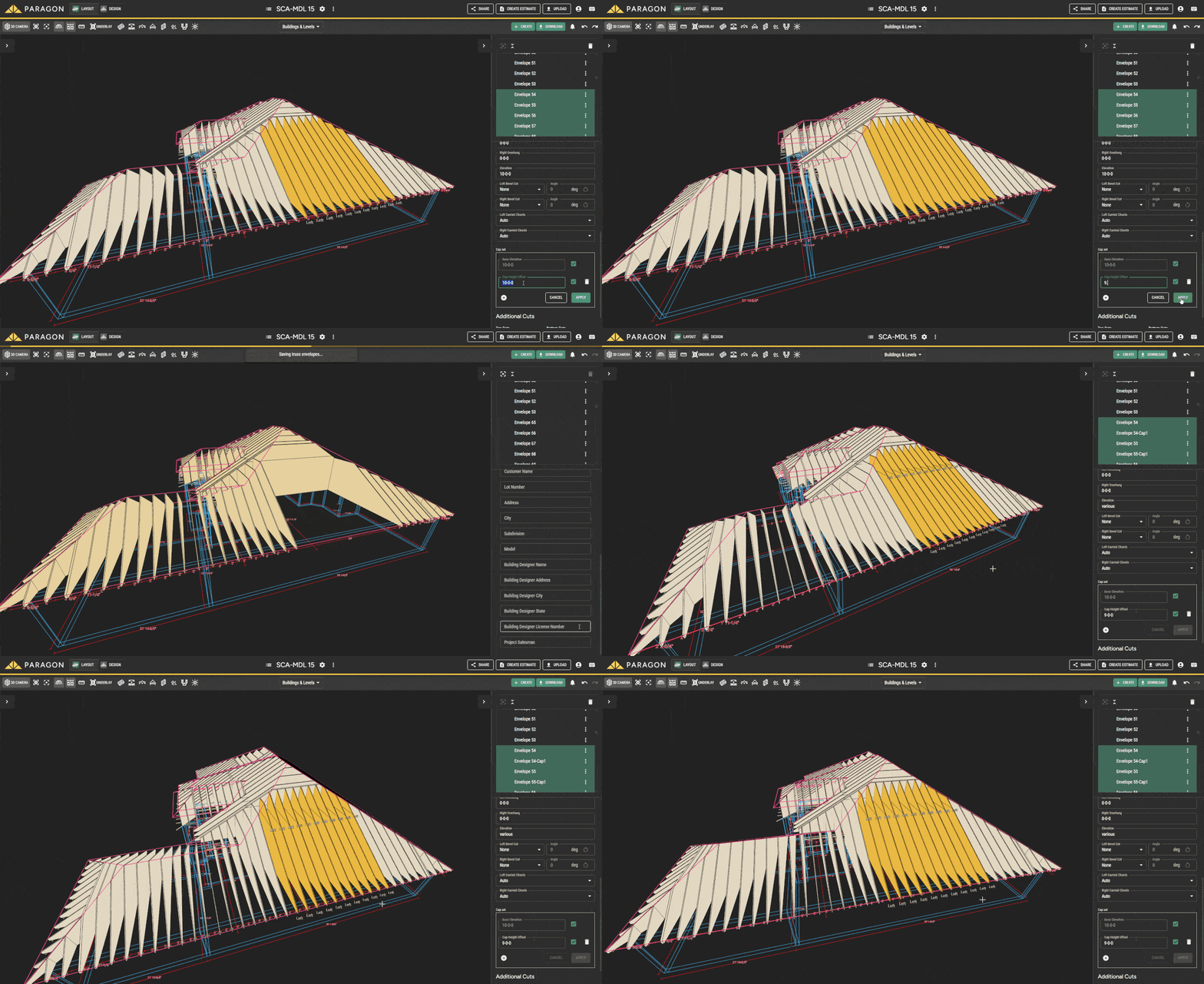
Automatically generate cap trusses using a defined cap height, removing the need to manually modify these common components during detailing.
5. Enhanced Multi-select
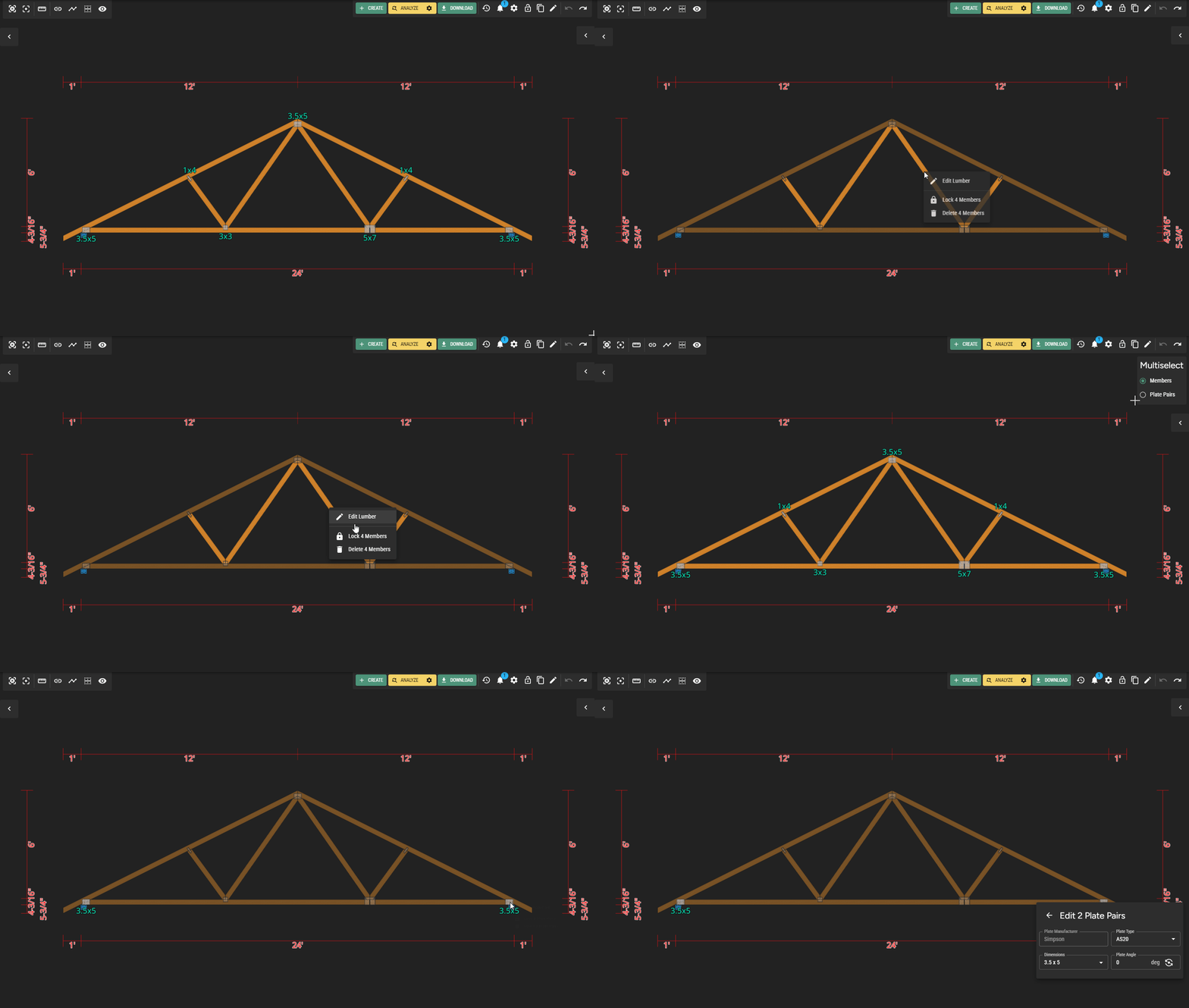
Hold Ctrl or Cmd when clicking or dragging to select multiple members or plate pairs. Edit, lock, or delete them all at once to speed up repetitive tasks.
6. Move, Rotate, Mirror and Duplicate
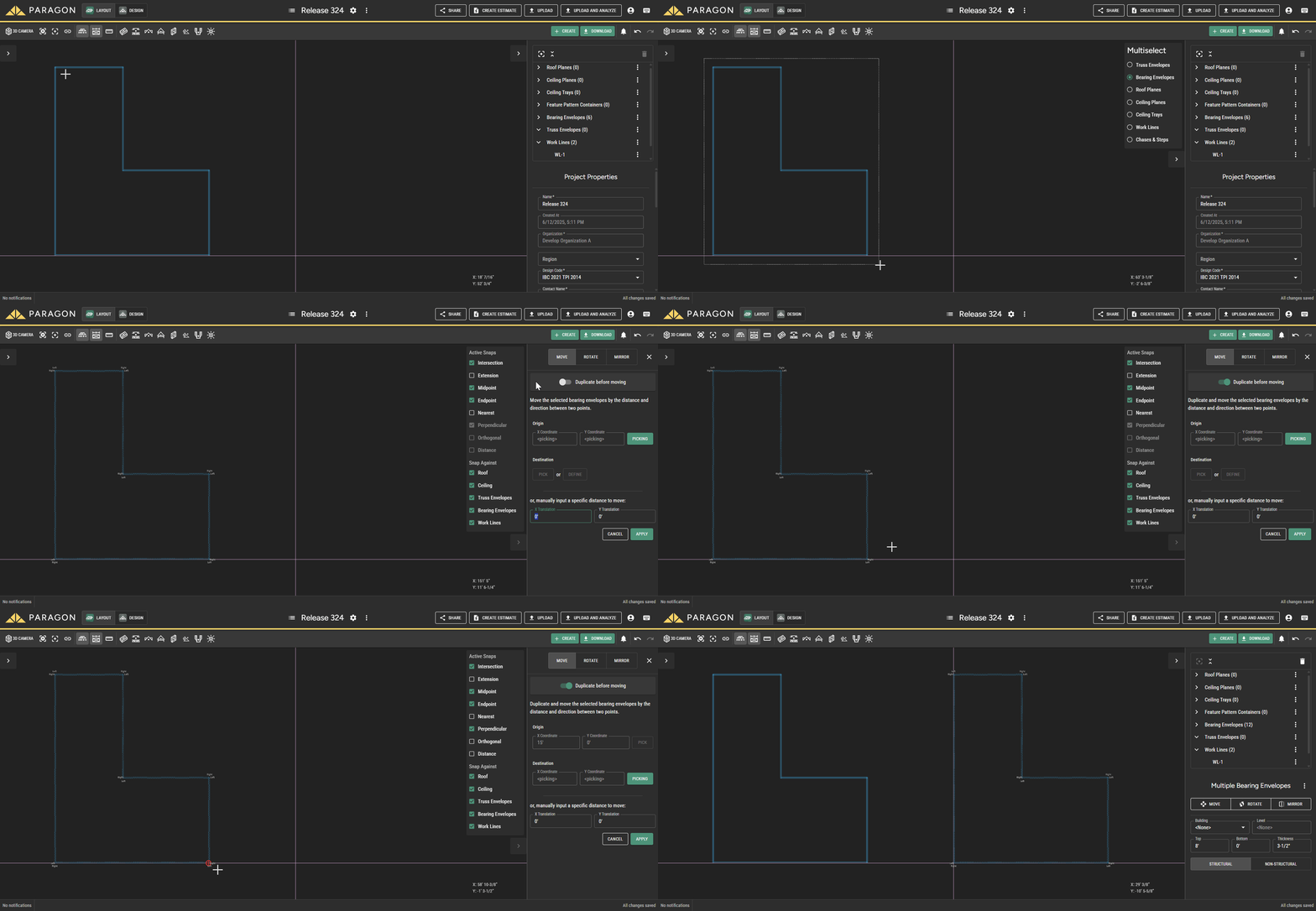
Move, rotate, mirror, or duplicate single or multiple layout objects at once. This brings true CAD-style manipulation directly into the browser.
7. Advanced Roof Cutting

Add ordered top or bottom cuts to truss envelopes to override system solids. Handle complex geometry by selecting roof and ceiling planes in sequence.
8. Buildings and Levels
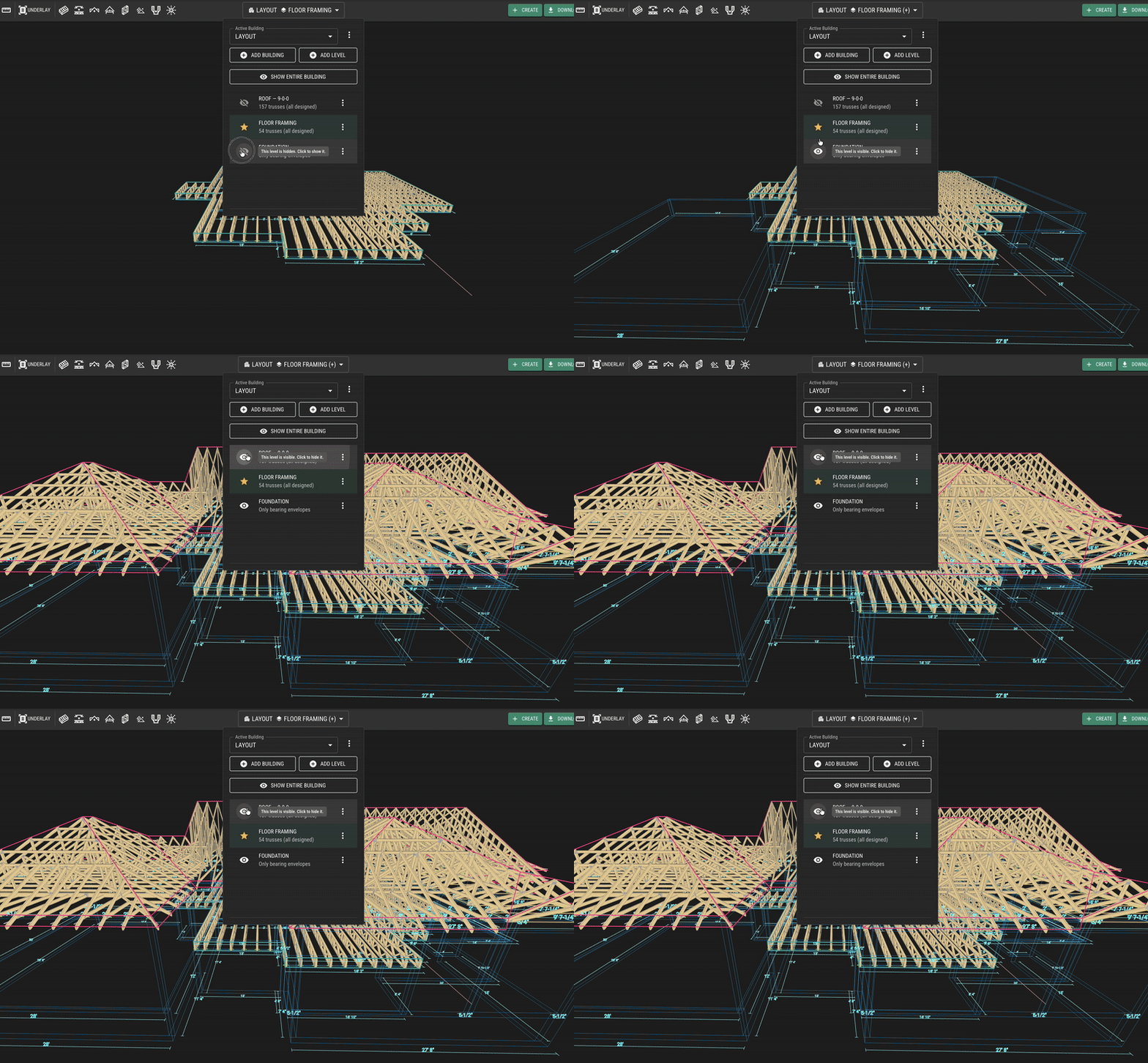
Organize components and layouts into buildings and levels within a project. This creates a clearer structure for larger models and multi-building sites.
9. PDF Underlay
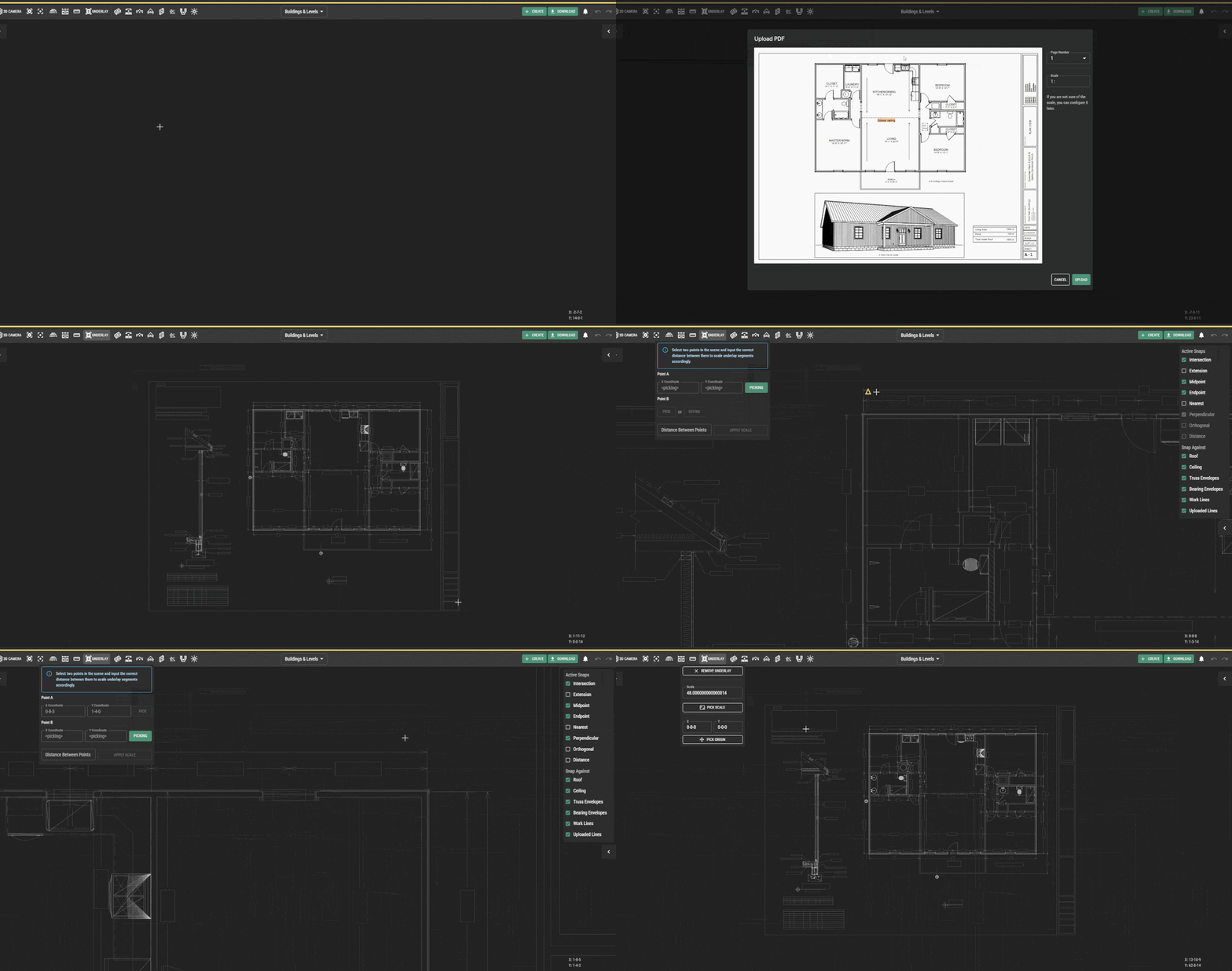
Use the Underlay tool to bring a PDF into your layout as a reference layer. You can scale or move it as needed and snap to key intersections for accurate tracing.
10. Auto-Cut Roof Planes
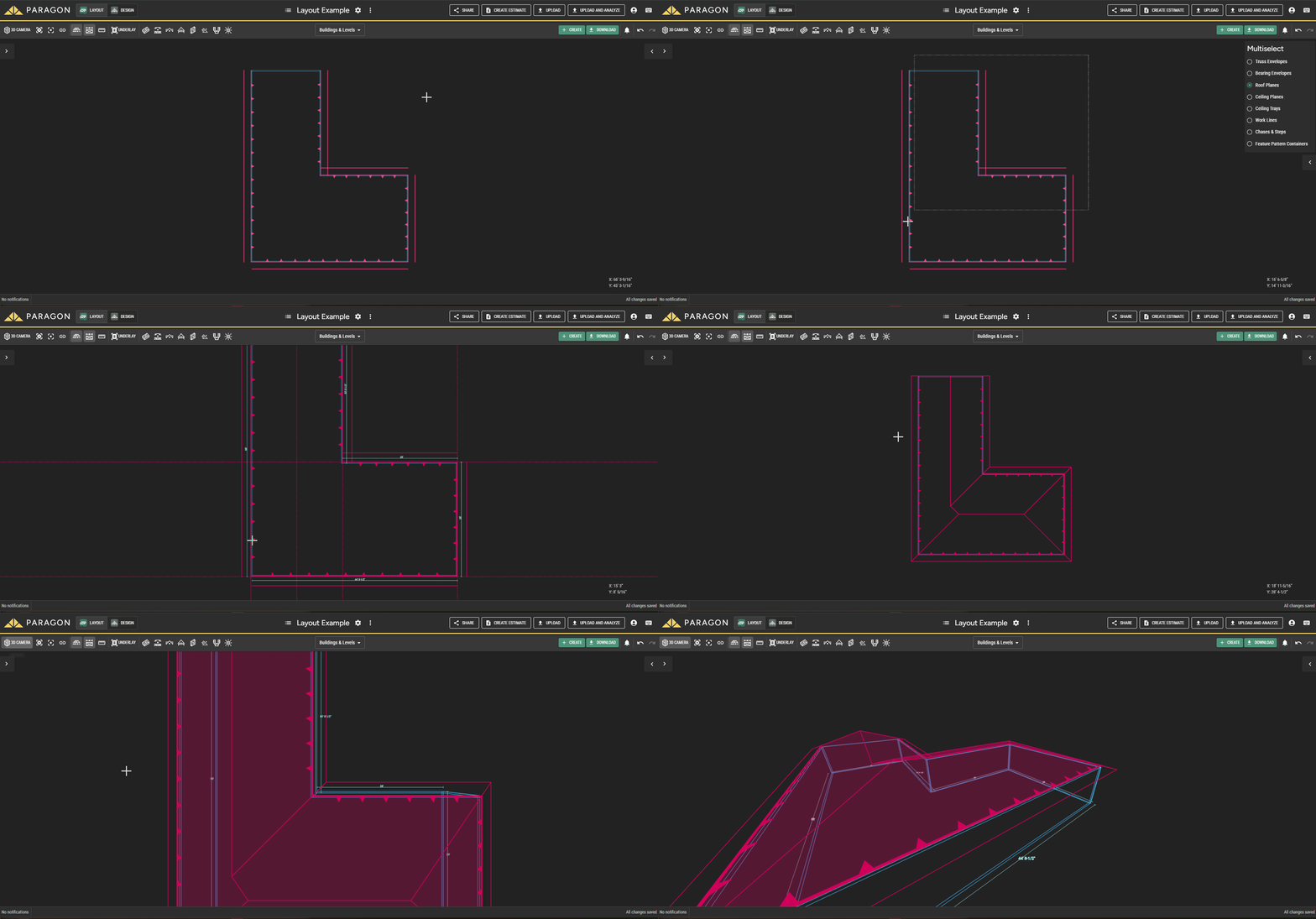
Select a roof plane and let Paragon automatically generate the necessary cuts, reducing the time spent modeling and cleaning up complex roof geometry.


